ComparisonsOct 25, 202614 min read
Networking Apps in 2026: An Honest Guide to the Main Types and Who Each Suits
Networking apps compared by type — feed-based networks, AI matching, group chats, event platforms and intent-first apps — and an honest look at who each one suits.
In this article12
- Why networking apps feel so different from each other
- Type 1: Feed-based professional networks
- Type 2: AI-matching apps
- Type 3: Community chat — WhatsApp groups, Slack and Discord
- Type 4: Event platforms
- Type 5: Dating-style "professional modes" and swipe apps
- Type 6: Intent-first networking apps (where Networthers fits)
- Networking apps compared at a glance
- How to choose the right networking app for you
- Templates: your first message on any networking app
- Frequently asked questions
- Conclusion
The best networking app is the one built for the thing you are actually trying to do. If you want a big public profile that recruiters can find, a feed-based network like LinkedIn is hard to beat. If you want conversation and community, a Slack, Discord or WhatsApp group will serve you better. If you want to meet people face to face, an events platform is the right tool. And if you want to find one specific kind of person — a co-founder, a mentor, a client, a hire — and talk to them without wading through noise, an intent-first app is the better fit.
Most "top 10 networking apps" lists skip that step. They rank apps as if everyone wanted the same thing, so you end up installing five of them and using none. This guide does it the other way round: it groups networking apps by how they work, says honestly who each type suits and where it falls short, and ends with a simple way to pick.
Full disclosure: this guide is published by Networthers, which is one of the apps described here. We'll say where other apps do things better, because they often do.
Why networking apps feel so different from each other
Every networking app answers three design questions, usually without saying so out loud:
- What do you see when you open it? A feed of posts, a list of chat messages, a calendar of events, a suggested match, or a person's profile.
- Who can message you? Anyone, anyone who pays, people in the same group, or only people you've accepted.
- How do you find someone? By scrolling, by search and filters, by an algorithm picking for you, or by turning up in the same room.
Those three answers decide whether an app feels like a busy town square, a private club, a party or a directory. None of them is wrong. They just suit different goals, and most frustration with networking apps comes from using one built for a different goal than yours.
Keep those three questions in mind as you read the types below. They are a quicker test than any feature list.
Type 1: Feed-based professional networks
Example: LinkedIn is the obvious one, and by far the largest.
How it works: You build a detailed profile, connect with people, and see a feed of posts from your network and beyond. You can publish posts and articles, follow companies, browse and apply for jobs, and — on paid plans — send InMail messages to people outside your network.
Who it suits
- Job-seekers and recruiters. The job listings and recruiter tools are extensive, and a complete profile makes you findable.
- People building a public voice. If you want to write regularly and grow an audience in your field, the feed is the point.
- Anyone who needs to look someone up. Because so many professionals have a profile, it works as a reference directory.
Where it falls short
- The feed competes for your attention. Many people open it to find one person and end up scrolling posts instead.
- Inboxes can get crowded. Because paid users can message people outside their network, popular profiles often receive a lot of unsolicited pitches.
- Intent is hard to see. A profile tells you someone's history, but not always what they're looking for right now.
If LinkedIn is the app you're weighing everything against, our detailed Networthers vs LinkedIn comparison goes feature by feature.
Type 2: AI-matching apps
How they work: You tell the app your goals and interests, and an algorithm suggests people for you to meet, often for a one-on-one video call or coffee. Some send a new match every week; some ask you to opt in to each meeting.
Who they suit
- People who enjoy serendipity. If you like meeting someone new without knowing exactly why, a well-tuned matching app can be a pleasant surprise.
- Busy people who don't want to search. The app does the choosing, so all you have to do is turn up.
Where they fall short
- You don't choose. If you need one very specific person — a technical co-founder in Pune, a mentor in product design — leaving it to an algorithm can take a long time.
- Quality depends on the pool. Matching works best where many active users share your goals. In a smaller city or a niche field, matches can be thin.
- Apps in this category come and go. Several AI-matching networking apps have launched, changed direction or gone quiet in recent years. Before you invest time in one, check that the app has been updated recently and that people are still active on it.
Type 3: Community chat — WhatsApp groups, Slack and Discord
How they work: These aren't networking apps in name, but they're where a lot of professional networking really happens. A WhatsApp group for founders in your city, a Slack workspace for product managers, a Discord server for developers or designers.
Who they suit
- People who want ongoing conversation. Ask a question, get answers in minutes from people who share your context.
- Members of a specific scene. A good community gives you shared trust: everyone in it has something in common.
- Anyone starting from zero. Joining the right group is one of the fastest ways to learn who's who.
Where they fall short
- They're organised around messages, not people. Finding the one person you need means scrolling back through weeks of chat or posting and hoping.
- Intent stays hidden. Few people announce in a 900-member group that they're quietly looking for a new role or open to mentoring.
- Privacy can be awkward. In an ordinary WhatsApp group, members can see each other's phone numbers.
- Each group is an island. The great designer you met in one Discord server is invisible to the founder in a Slack workspace who needs her.
We compared these in depth in Networthers vs WhatsApp groups, Slack and Discord, including how to use both together.
Type 4: Event platforms
Examples: Meetup and Eventbrite are widely used for finding professional and community events, alongside event pages run by startup communities, co-working spaces, chambers of commerce and alumni groups.
How they work: You browse events by city and topic, register, and meet people in person or on a call.
Who they suit
- People who build trust best face to face. A ten-minute conversation over chai often does more than a dozen messages.
- Newcomers to a city or industry. Events show you the local scene quickly.
- Anyone who wants a reason to talk. A shared talk or workshop is an easy opener.
Where they fall short
- Who you meet is luck. You might spend two hours and meet nobody relevant.
- Follow-up is where it breaks. You come home with a pocket of business cards or a list of names and no easy way to stay in touch.
- Time and travel. Events cost evenings and commutes, which is a real cost in a big city.
The best use of events is to pair them with an app that keeps the people you met in reach afterwards.
Type 5: Dating-style "professional modes" and swipe apps
Some dating and social apps have, at various times, offered a professional or business mode alongside their main purpose, and several standalone apps have borrowed the swipe idea for networking.
Who they suit
- People who like a quick, visual way to browse. Seeing one person at a time is genuinely easier on the brain than scanning a long list.
Where they fall short
- Context. When networking is a side feature of an app built for something else, many people don't think to look for professional contacts there, and the professional side can get less attention from the people building it.
- Depth. A swipe interface is only as good as the profile behind it. If profiles are thin, swiping turns into guessing.
The swipe idea itself is useful — it's why Networthers has a Swipe view — but it works best when every profile says clearly what the person is open to.
Type 6: Intent-first networking apps (where Networthers fits)
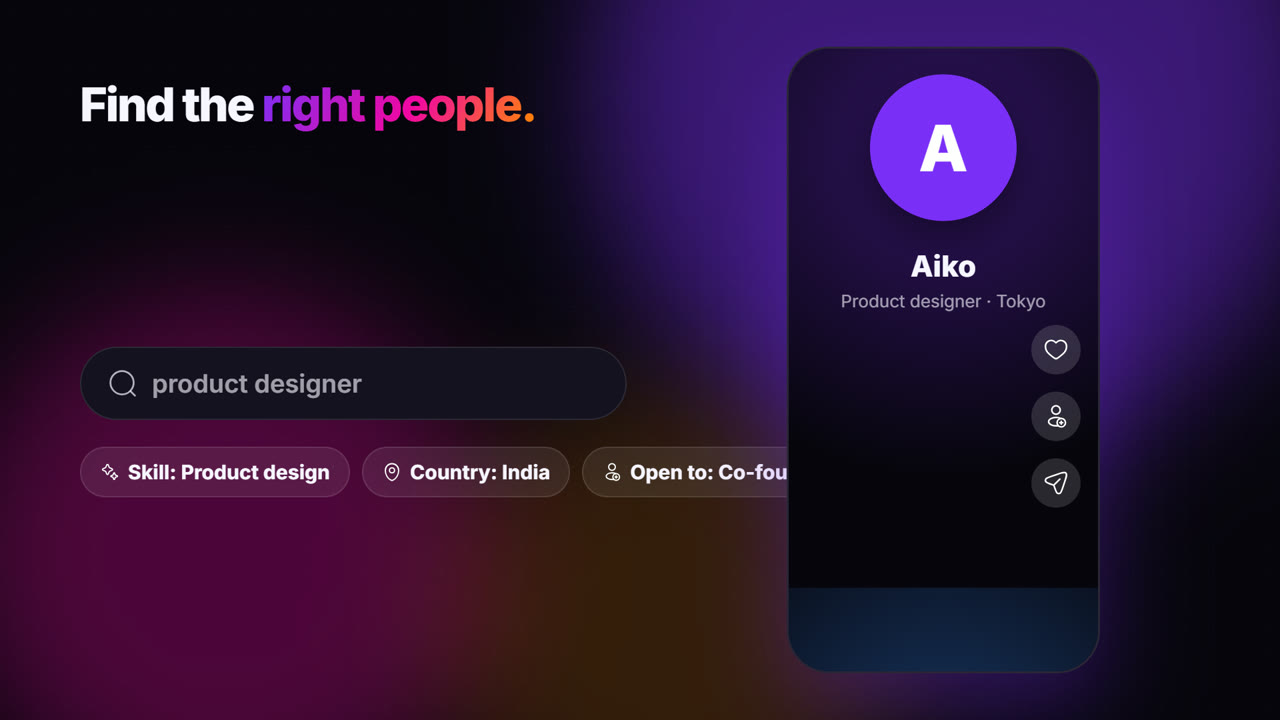
How they work: Instead of a feed, a chat or an algorithm, the app is built around people and what they're looking for right now. You search and filter for the kind of person you need, and you only talk once both of you have agreed to connect.
This is the slot Networthers was built for. Its tagline is "Networking. Only networking." In practice that means:
- "Open to" on every profile. Members say what they're open to — mentoring others, finding a mentor, finding a co-founder, hiring, a new role, investing, raising funds, new clients, partnerships or collaborating. It's shown on the profile and works as a search filter.
- Discover. Search people by name, role, company or skill, and filter by country, industry and what they're open to. Suggestions favour your industry and country.
- Swipe. Profiles one at a time, full screen, like Instagram Reels — swipe to the next person, like, connect, open the profile or share.
- Connections take two yeses. You send a request with an optional note of up to 300 characters, and nobody joins your network without accepting.
- Only connections can message you. No cold messages and no paid messaging to strangers.
- No feed and no posts. There's nothing to scroll and nothing to perform.
- 20 languages, with one-tap translation of profiles and messages.
Who it suits
- Founders looking for a co-founder or early hires — see find a co-founder.
- People hiring and people looking for a role, who want to talk directly once both sides agree — see hire or get hired.
- Freelancers who want clients who are actually open to new clients — see freelance clients.
- Mentors and mentees, who can find each other through the "open to" filter.
- People who are tired of feeds and want an app they open with a purpose and close again.
Where it falls short
Honestly:
- It's smaller than LinkedIn. A large established network will have more profiles, so for some searches you'll find more people there.
- No job listings. If you want to browse and apply for advertised jobs, a job board or LinkedIn does that; Networthers is for meeting people.
- No publishing. If building an audience through posts is your goal, Networthers deliberately doesn't do it.
- No group chats or events. It complements communities and events rather than replacing them.
Networking apps compared at a glance
Here's how the main types line up on the questions that matter most. Where a type covers many different apps, the cell describes what's typical.
| Networthers | Group chats (WhatsApp, Slack, Discord) | Event platforms | ||
|---|---|---|---|---|
| Main thing you see | People and what they're open to | A feed of posts | A stream of messages | A list of events |
| Feed and posts | None | Central to the experience | Conversation, not a feed | None |
| Search people by intent | Filter by "open to" | Search by role and company | Scroll or ask the group | Not the focus |
| Who can message you | Only accepted connections | Connections, plus paid InMail | Anyone in the group | Varies by platform |
| Job listings | None | Extensive | Some groups share them | Not the focus |
| Size of network | Smaller and growing | Very large | Depends on the group | Depends on the city |
| Meeting in person | Online, you arrange the rest | Online | Some groups meet up | The whole point |
| Cost to start | Free account | Free, with paid plans | Usually free | Many free, some paid events |
How to choose the right networking app for you
Use your goal, not the app's popularity, to decide. A simple decision path:
Step 1: Name your goal for the next 30 days
Be specific. "Meet a few backend engineers in Bengaluru who might co-found a fintech" is a goal. "Network more" isn't.
Step 2: Match the goal to the type
| Your goal | Start with |
|---|---|
| Get found by recruiters, apply for advertised jobs | A feed-based network with job listings |
| Build an audience by writing | A feed-based network or a public social platform |
| Learn a scene and ask questions | A community group (Slack, Discord, WhatsApp) |
| Meet people face to face | An events platform plus local communities |
| Find one specific kind of person and talk directly | An intent-first app like Networthers |
| Be surprised by someone new | An AI-matching app, if an active one exists near you |
Step 3: Pick two, not five
Most people do best with one "presence" app and one "action" app. For example: keep your LinkedIn profile up to date so people can look you up, and use Networthers to actively find a co-founder or clients. Or join one good community and use events to meet its members in person.
Step 4: Set it up properly once
Whatever you choose, a half-finished profile wastes everyone's time. Add a clear photo, a headline that says what you do, and — where the app allows it — what you're looking for. On Networthers, that's the "open to" field, and it does half the introduction for you.
Step 5: Give it two weeks of short, regular use
Ten focused minutes a day beats one frantic hour a month. Search, send three thoughtful connection requests, reply to the ones you receive, and review after two weeks.
Templates: your first message on any networking app
The first message matters more than the app. Here are three short notes that fit inside a 300-character connection request.
For a potential co-founder:
Hi Arjun — I'm building a tool for small clinics to manage appointments and saw you're open to finding a co-founder and have built booking systems before. Would you be up for a 20-minute call next week to compare notes?
For a mentor:
Hi Meera — I'm two years into product design and your work on onboarding flows is exactly what I'm trying to get better at. I saw you're open to mentoring. Could I ask you three specific questions over a short call?
For a potential client:
Hi Rahul — I write website copy for early-stage SaaS companies and noticed you're open to new partnerships. If your team ever needs landing-page copy, I'd be glad to share two recent examples. No pressure either way.
These are illustrative examples, not real members. The pattern is what matters: who you are, why them specifically, and one small, easy next step.
Frequently asked questions
What is the best networking app? There isn't one best app for everyone. LinkedIn is strongest for job listings, recruiters and publishing. Community groups are best for conversation. Event platforms are best for meeting in person. Intent-first apps like Networthers are best when you know what kind of person you want to meet and want to talk only once both of you agree.
Are there free networking apps? Yes. Most networking apps let you start for free. Networthers is free to create an account, and LinkedIn, Slack, Discord and WhatsApp all have free options; some apps charge for extra features such as messaging people outside your network.
Is there a networking app without a feed? Yes. Networthers has no feed and no posts. You see people and what they're open to, through Discover search and the Swipe view, and only your connections can message you.
Can I use a networking app outside India? Networthers was founded and built in India but is open to professionals in every country, and it works in 20 languages with one-tap translation. Most of the other apps described here are available internationally too.
Should I leave LinkedIn for another networking app? Usually not. For most people the best setup is to keep a LinkedIn profile for visibility and job listings, and use a focused app for the specific people you want to meet. You can read our LinkedIn alternative page for how the two fit together.
Conclusion
Networking apps aren't really competitors so much as different tools: feeds for visibility, groups for conversation, events for face-to-face trust, matching apps for serendipity and intent-first apps for finding a specific person and talking directly. Choose by your goal, set up one or two properly, and give them a few weeks of short, regular use. If your goal is to find a co-founder, a mentor, a hire or clients without a feed in the way, create a free Networthers account, say what you're open to, and start with three thoughtful connection requests this week.
Found this useful? Like it or pass it on.
Meet the people worth knowing
Networthers is professional networking with no feed and no cold messages. Free to join.
Join nowKeep reading
ComparisonsOct 24, 20266 min read
Networking Events vs Cold Email vs Networthers: Where Real Connections Start
ComparisonsOct 24, 20267 min read
Networthers vs WhatsApp Groups, Slack and Discord for Professional Networking
ComparisonsOct 24, 202611 min read
Networthers vs LinkedIn: An Honest, Detailed Comparison (2026)